
Video to MP3 Pro: Ringtone Maker, MP3 Compressor1.4 - Get APK
You'll be able to download in few seconds.
Publisher Description
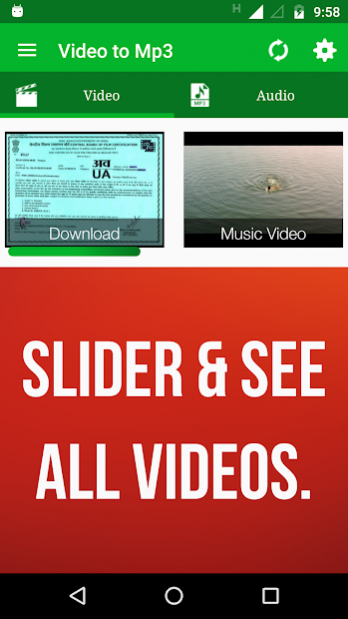
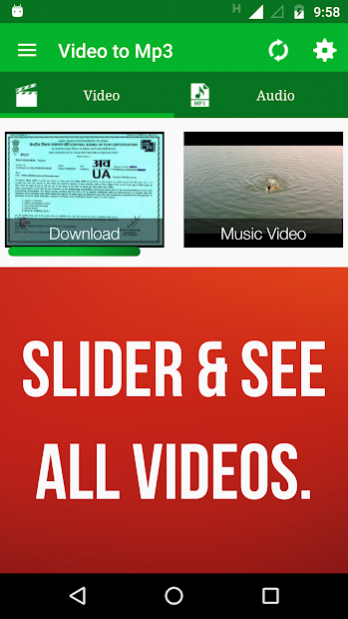
Complete 100% ADS FREE
Video to MP3 Converter Pro
Video MP3 Converter
is easy and powerful video editor app to convert, edit and trim your videos, Audios. Save in MP3 & AAC from bit rate 48kbps to 320kbps and different videos resolution from 320X180 to 1280X720
App Features:
- No Ads at all.
- Work as Video Cutter/Editor/Converter and video compressor.
- MP3 Cutter for editing audio files.
- Browse folders directly within an APP.
- Supports MP3 bit rates :
48K, 64K, 80K, 96K, 112K, 128K, 160K, 192K, 224K, 256K and 320K.
- Add/Edit Meta Data: Artist, Album, Genre,Year.
- Select Video reslotions: 320X180, 480X270, 640X360, 800X450, 960X540, 1280X720.
- Share Videos and Audios on different apps and social media.
- Supports different Video formats:
MP4, WMV, AVI, 3GP, MKV, MOV, FLAC and more.
- Supports different Audio formats:
MP3, AAC, WMV, M4A.
- Convert to MP3 and AAC.
- Trim/Convert MP3 files in your device
- Edit MP3 Meta-Data (TitleTitle, Artist, Genre, Year..)
- Options (Play, Delete, Rename, Share, Edit Meta-Data, Trim, Merge)
How to Edit/Convert/Trim Video:
- When you start App all the videos avaialble on device will shows.
- Select your video.
- Select starting and end point to make new video/Audio.
- select your choice to convert into audio (MP3,AAC) or video.
- Add Metadata in info and select video resolution.
- Select speed from very slow to very fast mode.
- select saving folder or it will default take folder as
"Video to MP3".
- Press Convert Button and That's it.
Note:
It can take uptp 3 minutes if video file is in HD and large size. We request you to wait kindly as process get done.
How to Edit/Trim Audio:
- Select an Audio of your choice under Audio Section.
- Select starting and ending point.
- Press Save and give name of your choice.
- Chose how you want to save MP3 as Music, Ringtone, Notification.
- That's it. Its done you can use app as Ringtone maker and MP3 cutter.
You can check all converted audio and video files in Audio Cutter and Video Cutter section in app.
Please, You can give feedback and we would love to listen your suggestions by E-mail, Facebook, Twitter or Google+.
E-mail:
rajkm454@gmail.com
Twitter:
https://www.twitter.com/AppSourceHub
Facebook:
https://www.facebook.com/AppSourceHub
Google+:
https://plus.google.com/110040689488872486407
Note:
- We have taken care to develop app, If you would find any kind of mistake then kindly please mail us. email your helpful suggestions and comments on the following address: rajkm454@gmail.com
About Video to MP3 Pro: Ringtone Maker, MP3 Compressor
The company that develops Video to MP3 Pro: Ringtone Maker, MP3 Compressor is AppSourceHub. The latest version released by its developer is 1.4.
To install Video to MP3 Pro: Ringtone Maker, MP3 Compressor on your Android device, just click the green Continue To App button above to start the installation process. The app is listed on our website since 2019-08-14 and was downloaded 0 times. We have already checked if the download link is safe, however for your own protection we recommend that you scan the downloaded app with your antivirus. Your antivirus may detect the Video to MP3 Pro: Ringtone Maker, MP3 Compressor as malware as malware if the download link to mp3videoconverter.videotomp3converter.audiocutter is broken.
How to install Video to MP3 Pro: Ringtone Maker, MP3 Compressor on your Android device:
- Click on the Continue To App button on our website. This will redirect you to Google Play.
- Once the Video to MP3 Pro: Ringtone Maker, MP3 Compressor is shown in the Google Play listing of your Android device, you can start its download and installation. Tap on the Install button located below the search bar and to the right of the app icon.
- A pop-up window with the permissions required by Video to MP3 Pro: Ringtone Maker, MP3 Compressor will be shown. Click on Accept to continue the process.
- Video to MP3 Pro: Ringtone Maker, MP3 Compressor will be downloaded onto your device, displaying a progress. Once the download completes, the installation will start and you'll get a notification after the installation is finished.
Program Details
System requirements
Download information
Pricing
Version History
version 1.4
posted on 2019-08-14
Version 1.4:
- Fixed Bugs
- Added New Home Screen.
version 1.0
posted on 2016-09-23
Disclaimer
External Download
We do not host Video to MP3 Pro: Ringtone Maker, MP3 Compressor on our servers. We did not scan it for viruses, adware, spyware or other type of malware. This app is hosted by Galad and passed their terms and conditions to be listed there. We recommend caution when installing it.
The APK Download link for Video to MP3 Pro: Ringtone Maker, MP3 Compressor is provided to you by apps112.com without any warranties, representations or guarantees of any kind, so access it at your own risk.
If you have questions regarding this particular app contact the publisher directly. For questions about the functionalities of apps112.com contact us.
